
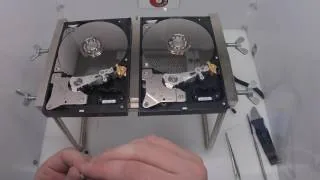
Data loss can strike anyone — a failing hard drive, ransomware, or a simple accidental delete. As a professional data recovery lab in Tangier, Morocco, we see the same preventable mistakes every week. Here are seven habits that protect your files in 2026.
1. Follow the 3-2-1 backup rule
Keep three copies of your data, on two different media types, with one copy offsite or in the cloud.
2. Test your backups monthly
An untested backup is not a backup. Restore a random file every month to confirm it works.
3. Watch SMART health indicators
Free tools like CrystalDiskInfo warn you weeks before most hard drive failures.
4. Use a UPS
Power surges kill drives and corrupt RAID arrays. A basic UPS is cheap insurance.
5. Encrypt sensitive data — and store the keys safely
BitLocker and FileVault protect you from theft, but losing the recovery key means losing everything.
6. Keep firmware and systems updated
Many NAS ransomware attacks exploit firmware that was patched months earlier.
7. At the first sign of failure, power off
Clicking sounds or slow access mean mechanical trouble. Running recovery software on a dying drive makes it worse. Power off and contact a professional data recovery service.
Lost data already? Our certified clean room lab offers 24-hour diagnosis with a strict no recovery, no fee policy — worldwide shipping available.